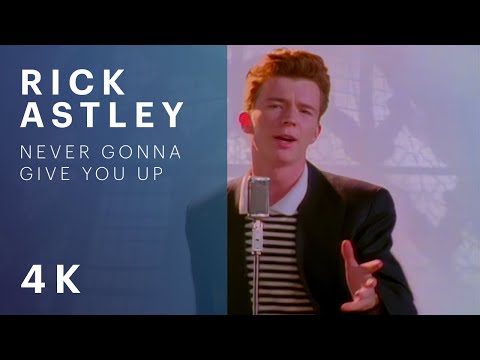
Where YouTube thumbnails come from
Every YouTube video has a thumbnail image stored on YouTube's image servers, and each one is available at an address built from the video's 11-character ID. The ID is the part after v= in a watch link, or the final part of a short youtu.be link. The same image is offered in several sizes, named maxresdefault, sddefault, hqdefault and mqdefault in descending order of detail.
This tool builds those addresses for you. It extracts the ID from whatever you paste, and the preview and download both load directly from YouTube's image server, so this tool does contact an outside service. It is not an offline or fully private tool.
When saving a thumbnail is reasonable
People commonly need a thumbnail to write about a video, to make a reference image for a presentation, to archive their own uploads, or to check how a design looks at different sizes. Creators sometimes want a copy of an old thumbnail that is no longer in their project files.
Please remember that a thumbnail is usually the creator's artwork and is protected. Having the file does not give you the right to republish it as your own, use it commercially, or pass it off as yours. Use thumbnails from other creators only where the rules allow it, or with permission, and credit the source. Your own uploads are the clearest case. If you are preparing your own artwork instead, the Social Media Image Resizer can fit an image to the standard thumbnail size.
How to download a thumbnail with this tool
- Paste a YouTube video link or the bare 11-character ID into the input box. A sample link is in place at the start.
- If the tool finds an ID, a preview image appears. If not, a red message tells you to paste a full URL or an 11-character ID.
- Choose a size button: Max resolution (1280 by 720), Standard (640 by 480), High quality (480 by 360) or Medium quality (320 by 180).
- The file is fetched and saved as a JPG named with the video ID and size, for example the ID followed by -hqdefault.jpg.
The preview always shows the high quality version, whichever button you press later.
Limits and things that can go wrong
Not every video has every size. The largest version in particular may not exist for some videos, such as older uploads or lower-resolution ones, and in that case the download can fail or return a placeholder image. If so, try the next size down.
The download works by requesting the image from YouTube inside your browser. If that request is blocked, for example by a browser extension, a network filter or your connection, nothing will be saved, and the tool does not show an error message for this. In that case, try again, or try a different size.
The tool only handles standard video links with a v= value, short youtu.be links, embed links and bare IDs. Playlist-only or channel links do not contain a video ID, so they will not work. It does not download videos, only the still image, and it does not alter the image.